
本文介绍了在云服务器上部署监控系统,包括安装node_exporter、Prometheus和Grafana三个组件。首先通过Linux命令安装node_exporter用于收集系统数据,然后配置Prometheus以监听node_exporter数据,最后安装Grafana并添加Prometheus数据源及Dashboards,实现可视化监控。文章提供了详细的安装步骤和配置方法,适合需要搭建监控系统的人员参考。
如果您使用1Panel,Grafana和Prometheus都是有1Panel的一键版本的,但使用1Panel应用的方法未经测试
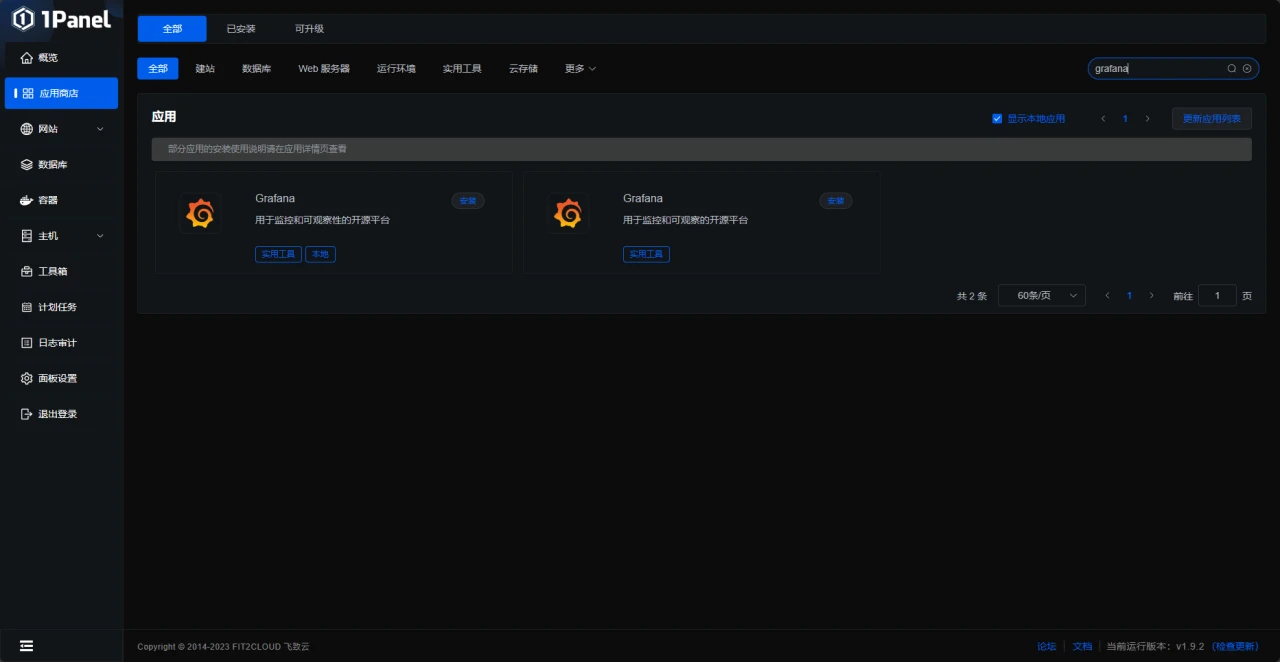
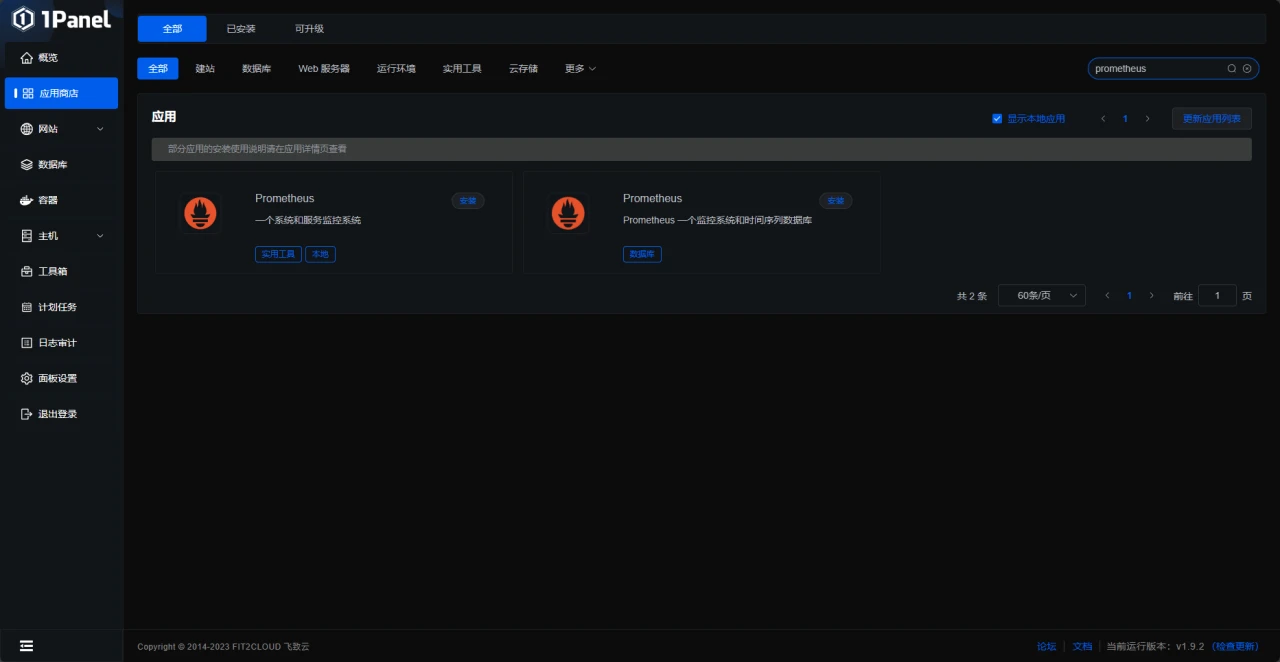
如果你希望使用1Panel,可以在购买服务器时选择预装
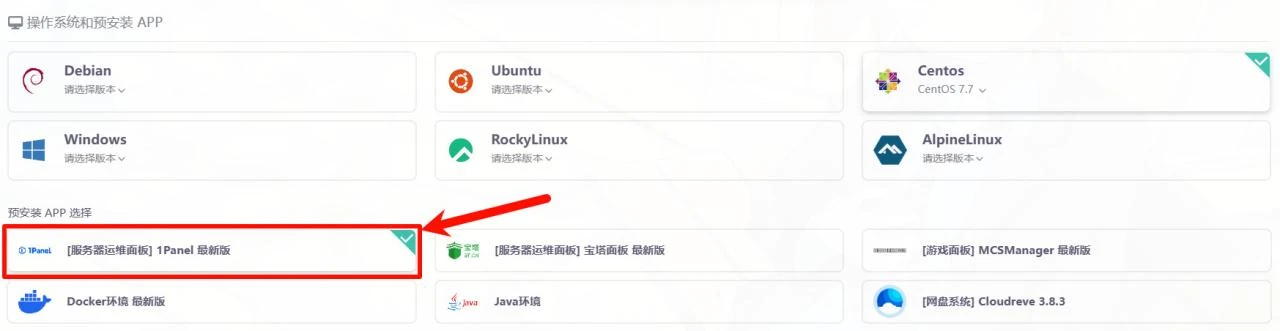
上图为雨云的预装示例,某些服务商可能不支持预装,请看 在线安装 - 1Panel 文档
本文以家里云+centos做演示
准备工作首先准备好软件环境
-
- node_exporter
-
- prometheus
-
- grafana
这些是必备的
安装工作首先我们安装node_exporter
node_exporter的作用是用于机器系统数据收集。
官网下载包
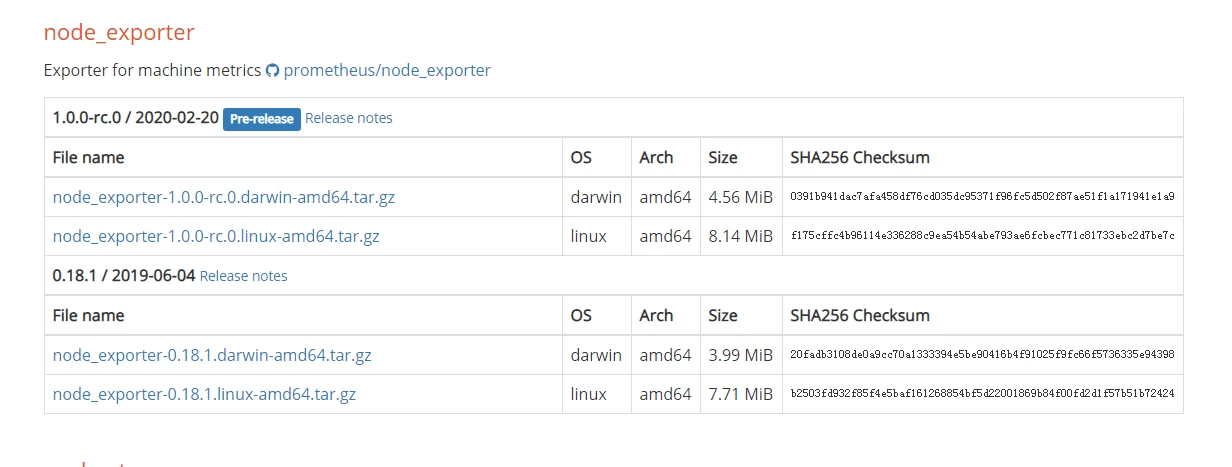
利用Linux命令下载安装
wget https://github.com/prometheus/node_exporter/releases/download/v1.0.0-rc.0/node_exporter-1.0.0-rc.0.linux-amd64.tar.gz #下载node_exporter包
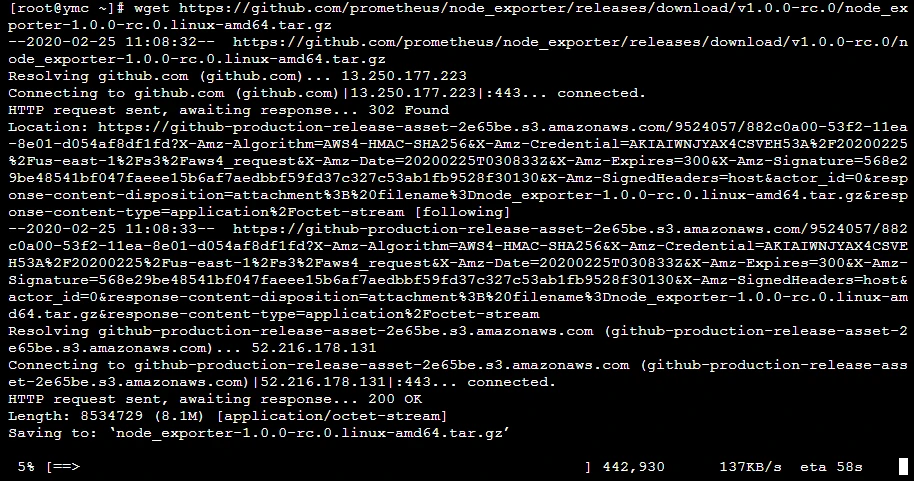
tar xvf node_exporter-1.0.0-rc.0.linux-amd64.tar.gz #解压下载来的包

mv node_exporter-1.0.0-rc.0.linux-amd64 node_exporter #把解压的目录改成node_exporter

cd node_exporter #进入node_exporter目录

./node_exporter #运行node_exporter
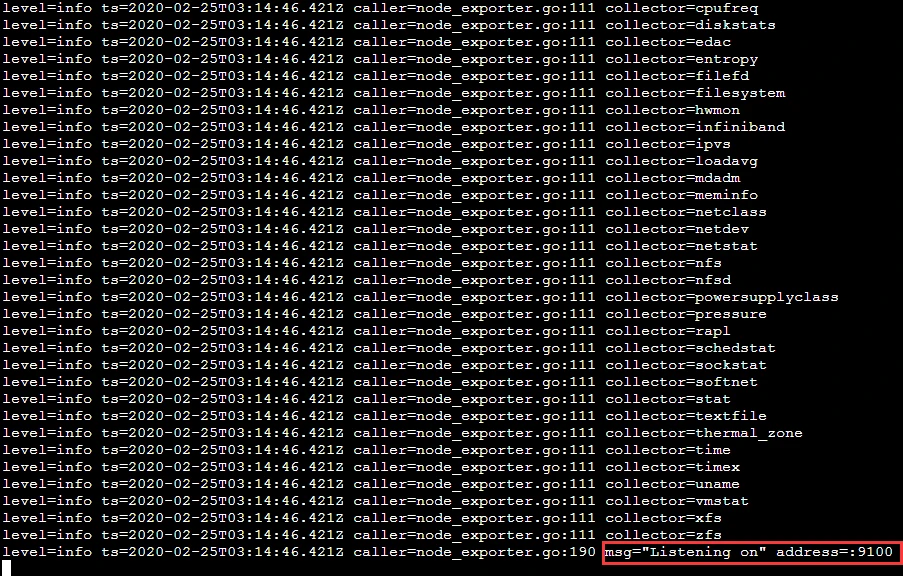 看到这图片代码安装运行成功了
访问 http://localhost:9100/metrics
接下来安装prometheus
Prometheus的一类数据采集组件的总称。它负责从目标处搜集数据,并将其转化为Prometheus支持的格式。
官网下载包
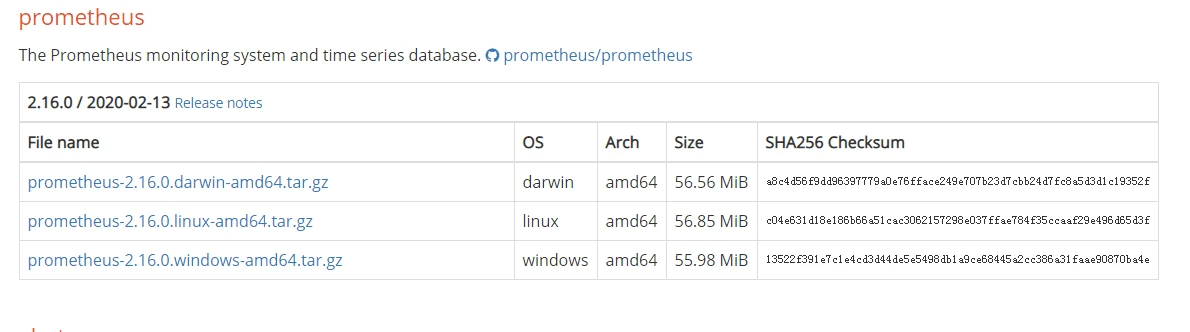
利用Linux命令下载安装
wget https://github.com/prometheus/prometheus/releases/download/v2.16.0/prometheus-2.16.0.linux-amd64.tar.gz
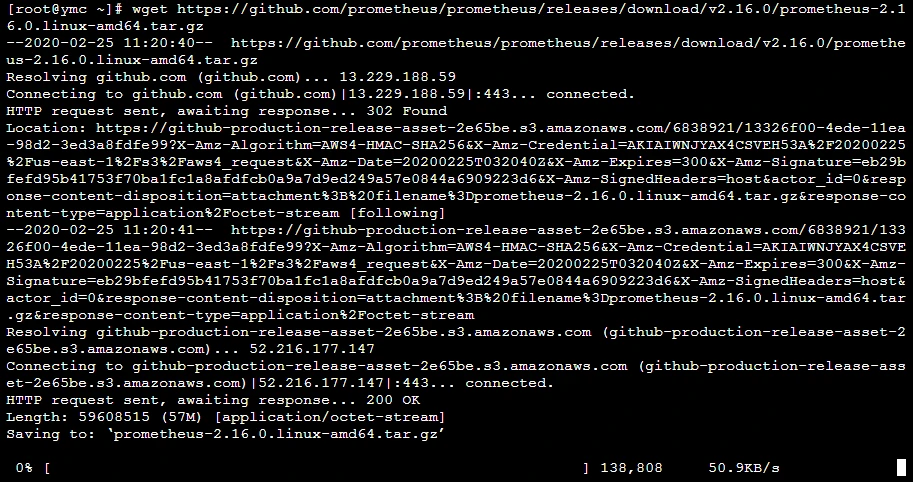
tar xvf prometheus-2.16.0.linux-amd64.tar.gz #解压下载来的包

mv prometheus-2.16.0.linux-amd64.tar.gz prometheus#把解压的目录改成prometheus

cd prometheus #进入prometheus目录
 这里我们要注意修改
prometheus的配置文件
利用vim在prometheus.yml文件scrape_configs下添加
 - job_name: 'node'
    static_configs:
      - targets: ['localhost:9100']
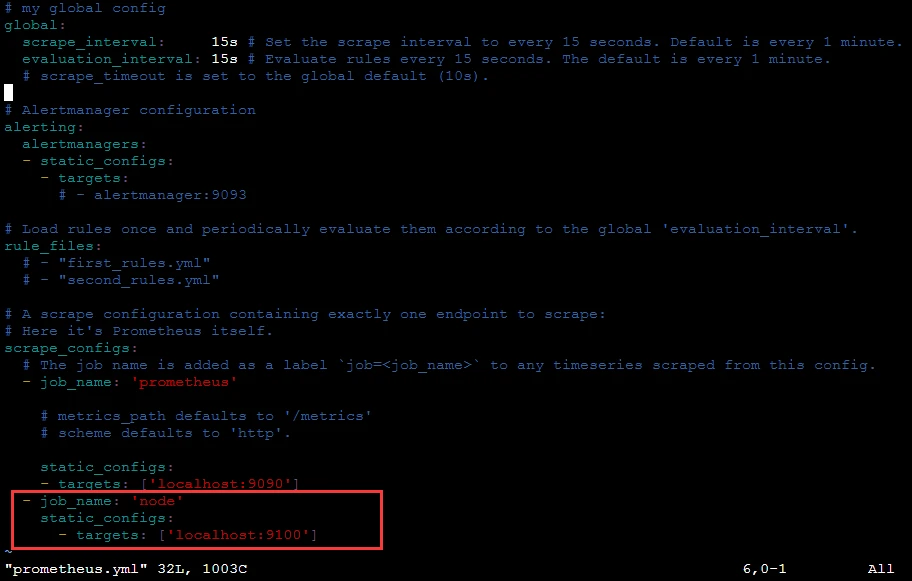 这里监听
这里监听node_exporter的数据
最后我们启动prometheus服务
./prometheus #启动prometheus服务
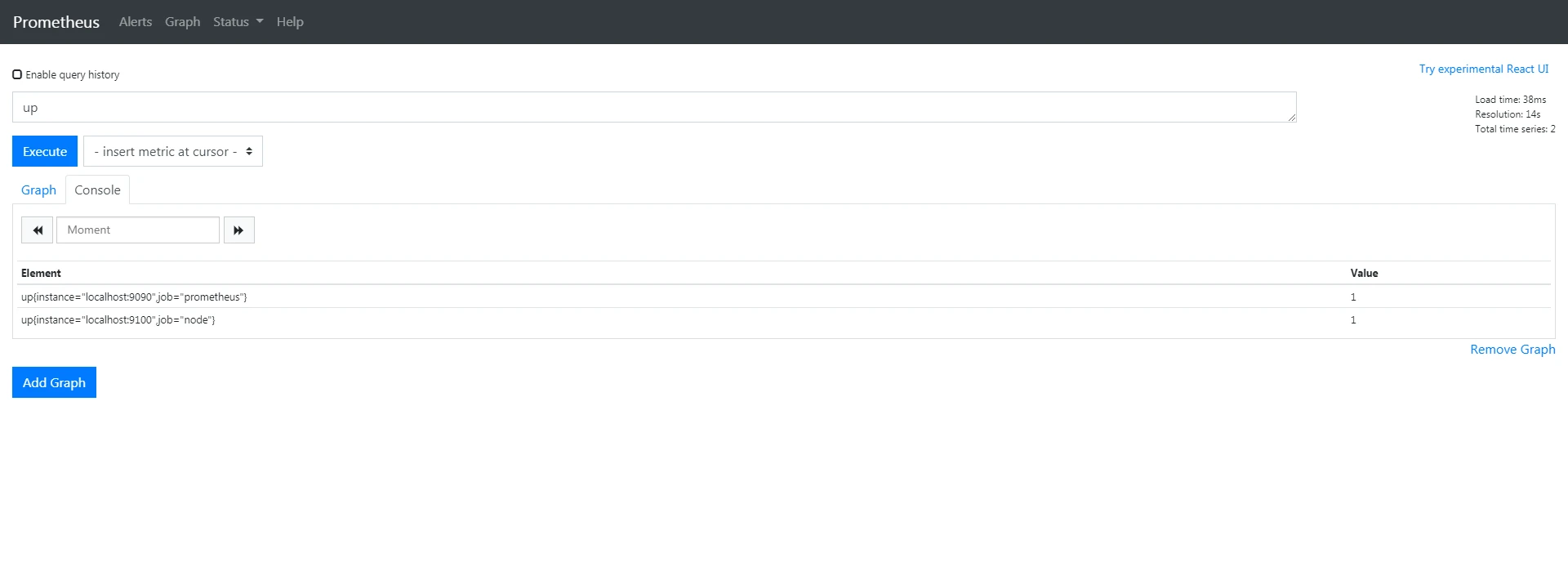
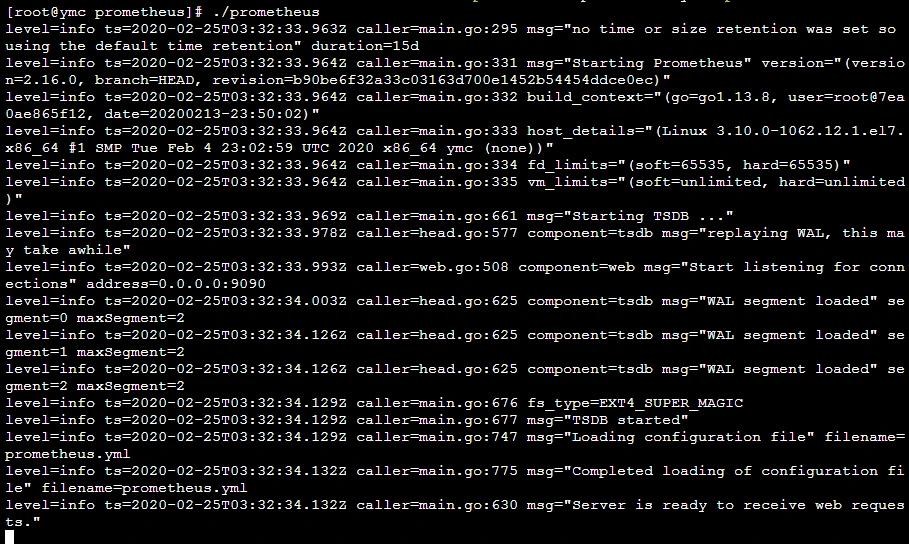 访问 http://47.103.87.205:9090/graph
搜索up出现以下图片代表运行成功数据监听成功
如果
up{instance="localhost:9090",job="prometheus"}    0
up{instance="localhost:9100",job="node"}    0
代表数据没监听到
 最后我们安装
grafana
wget https://dl.grafana.com/oss/release/grafana-6.6.2-1.x86_64.rpm
sudo yum localinstall grafana-6.6.2-1.x86_64.rpm
其他服务器看官网
地址 https:
sudo systemctl start grafana-server #启动grafana
 访问 http:
默认账号密码是 admin
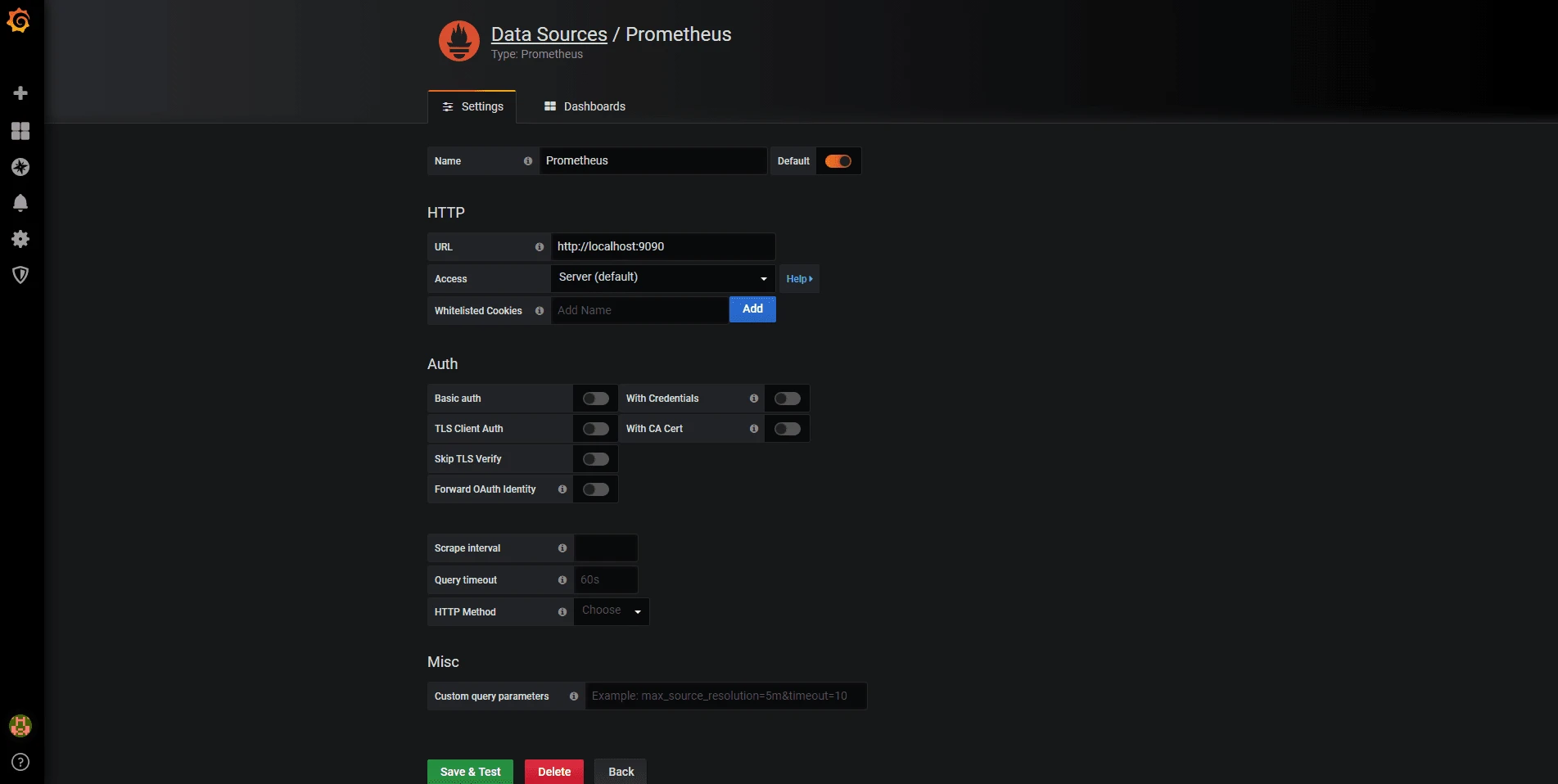
添加prometheus数据源
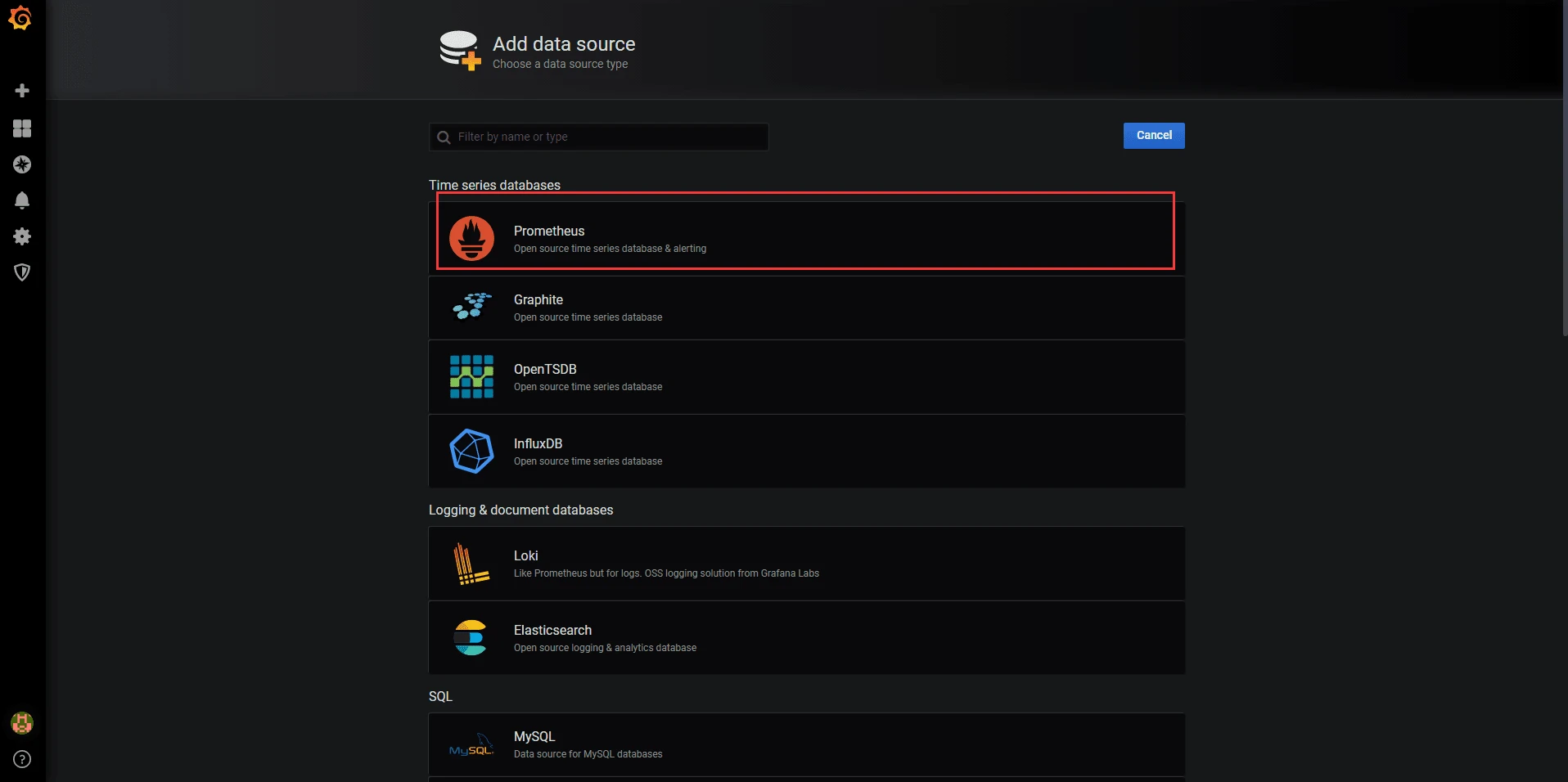
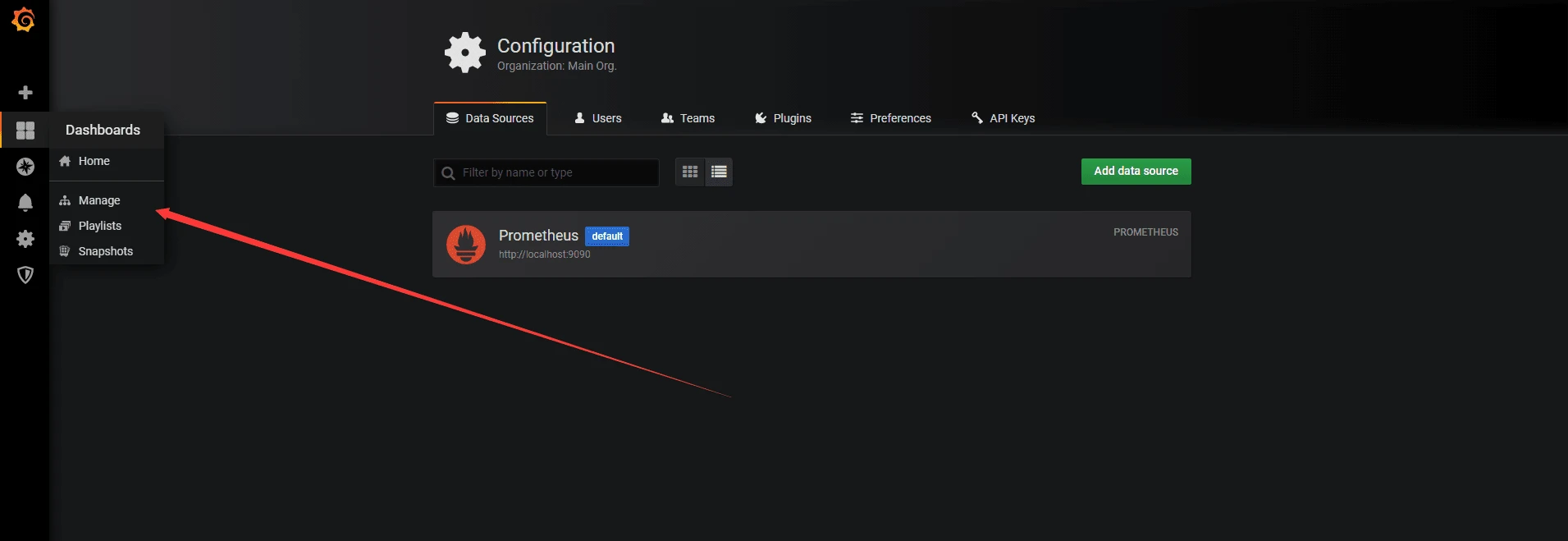
 添加Dashboards
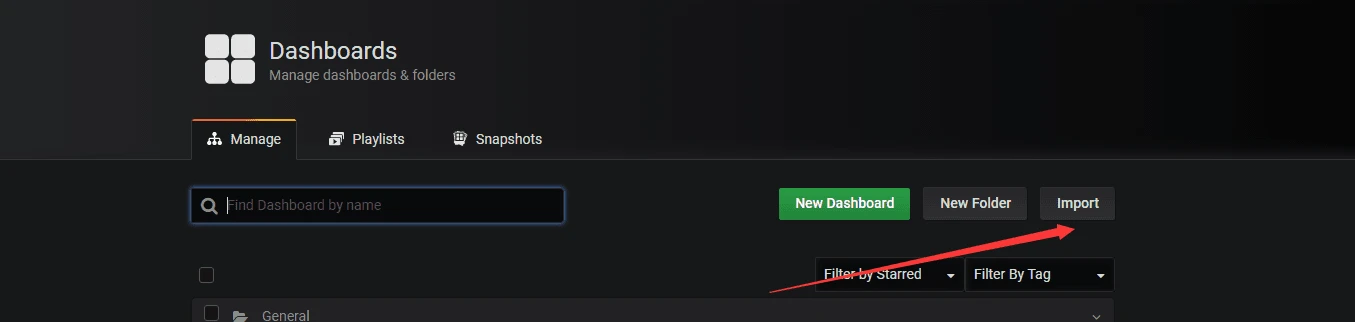
这里我们点Import 导入Dashboards
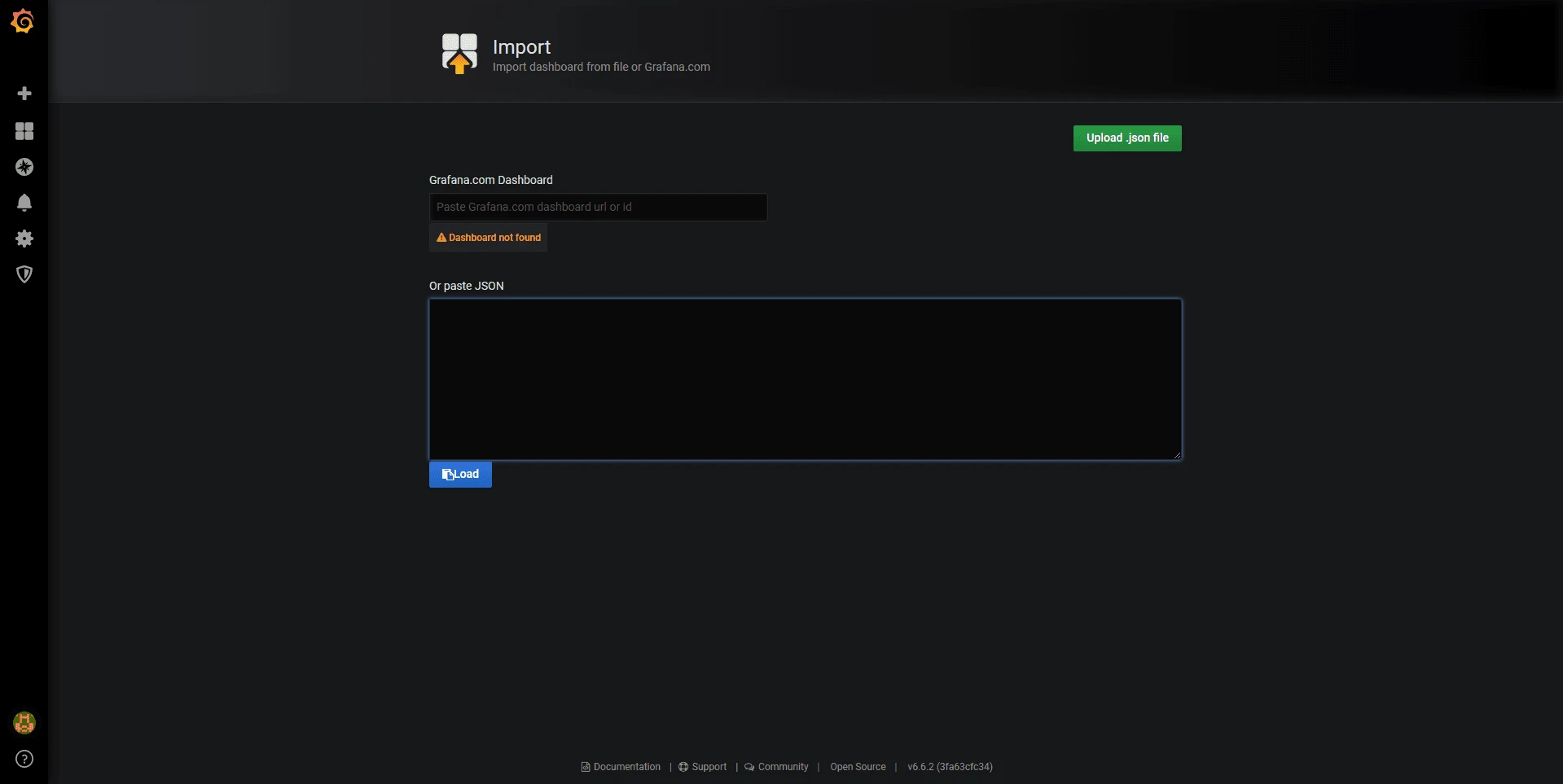
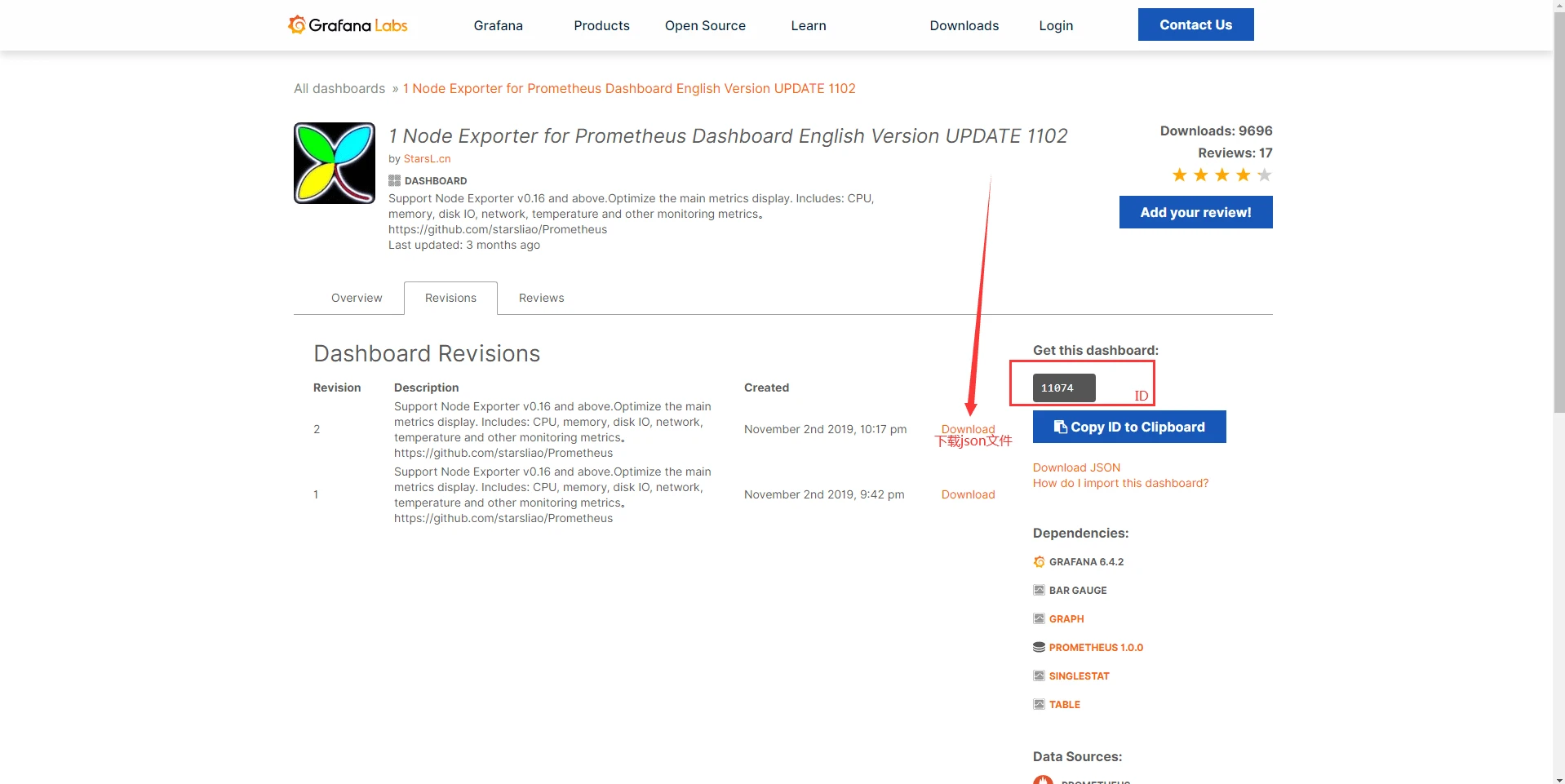
 输入官方下载的Dashboards json文件或者Dashboards的ID获取
 查看一下效果
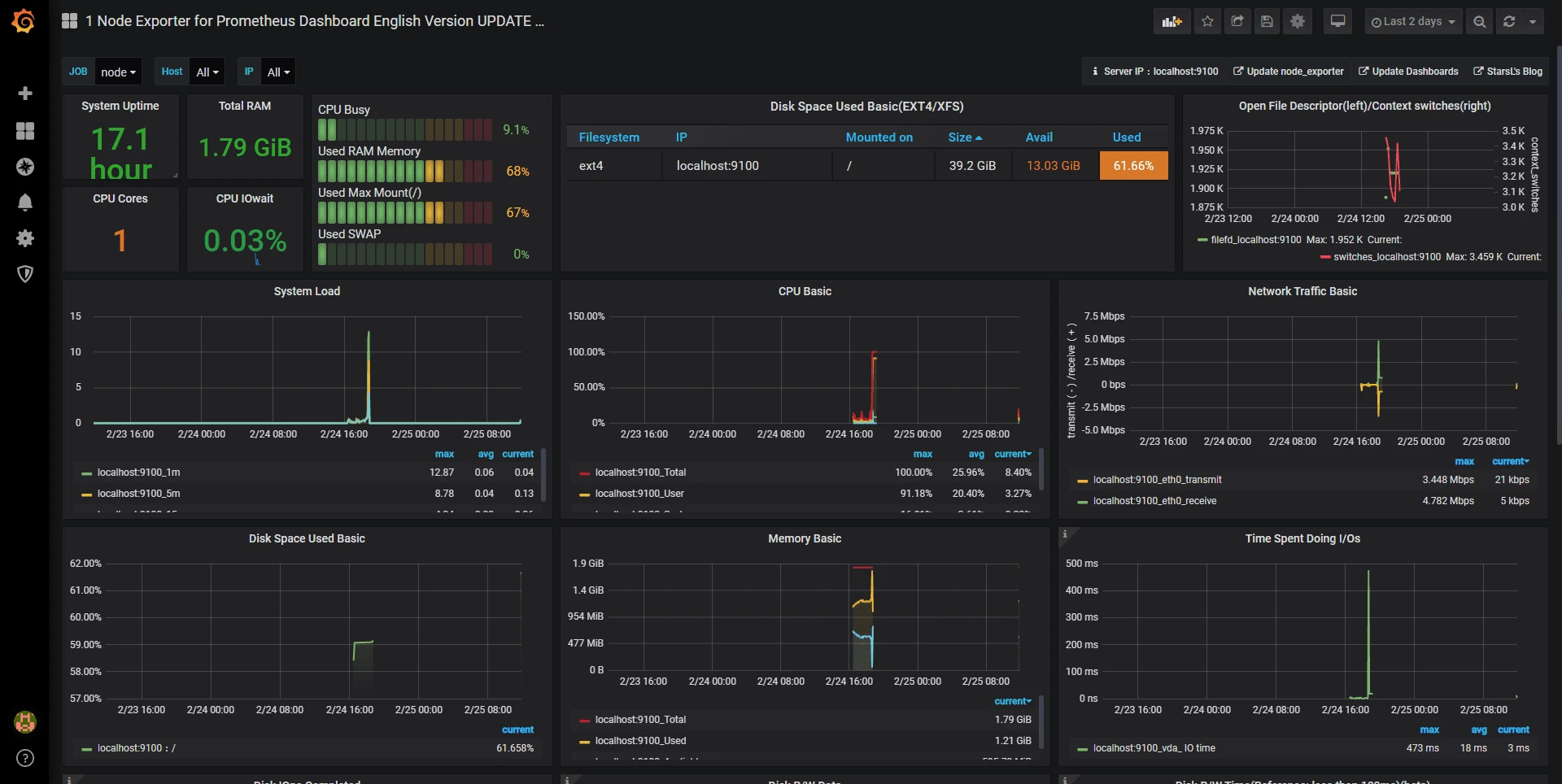 完工</http:></https:>
